MetaStructure
The ULTIMATE design and analysis software for NUCLEAR and INDUSTRIAL structures
Based on a powerful graphical modeler
Powered by Code_Aster solver
Open to Python developers
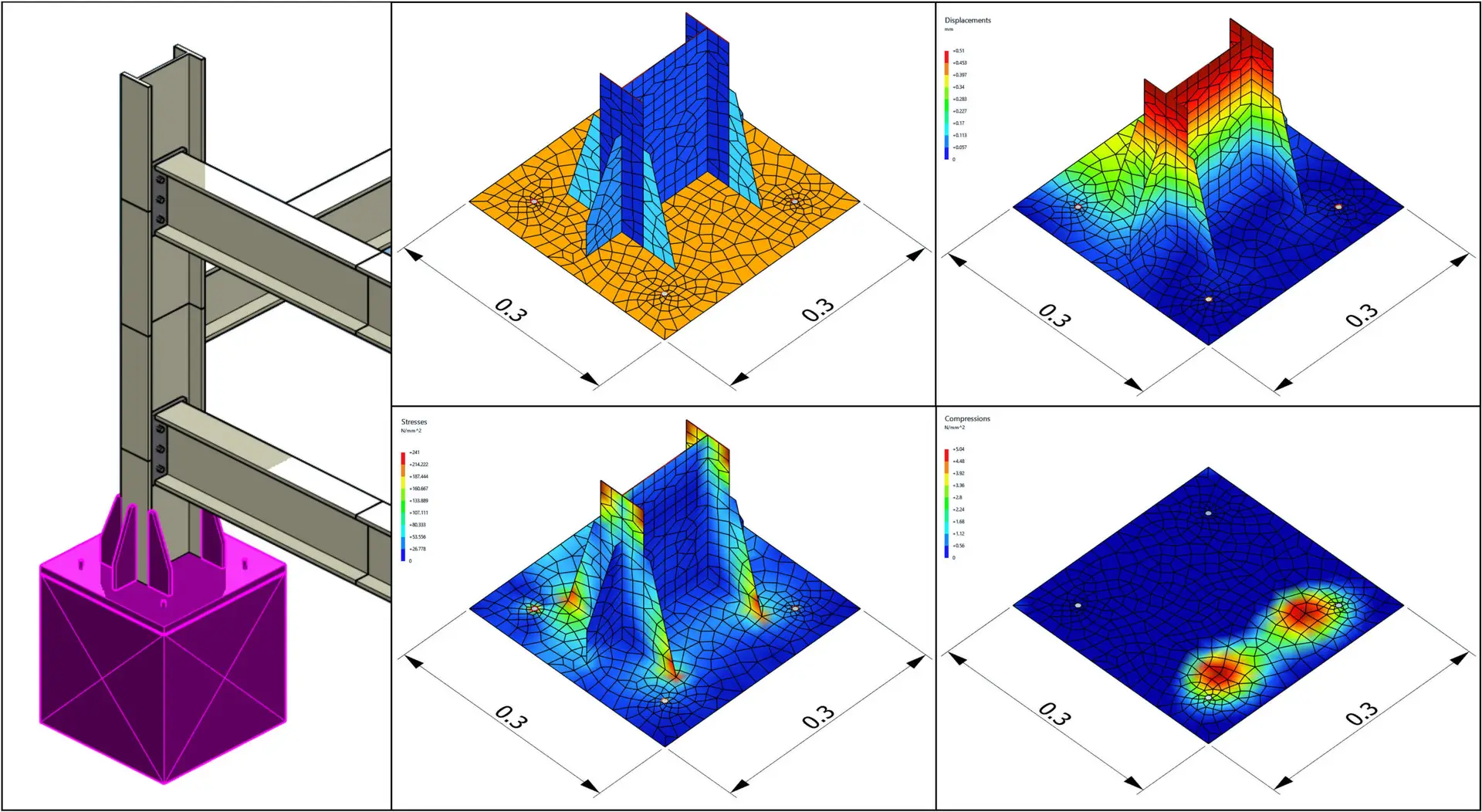
Detailed finite element analysis of flexible anchor plates
Validated on more than 100 test cases
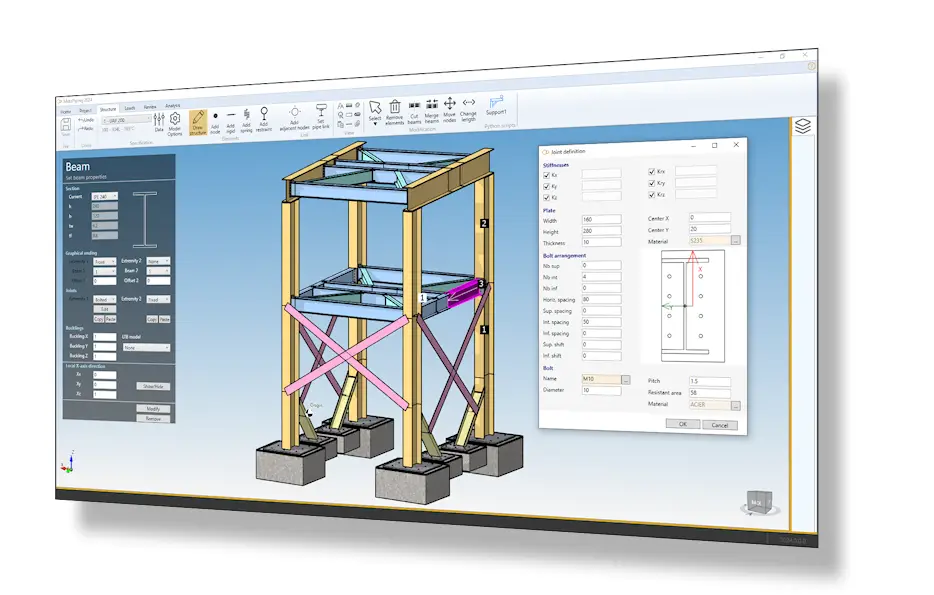
File management
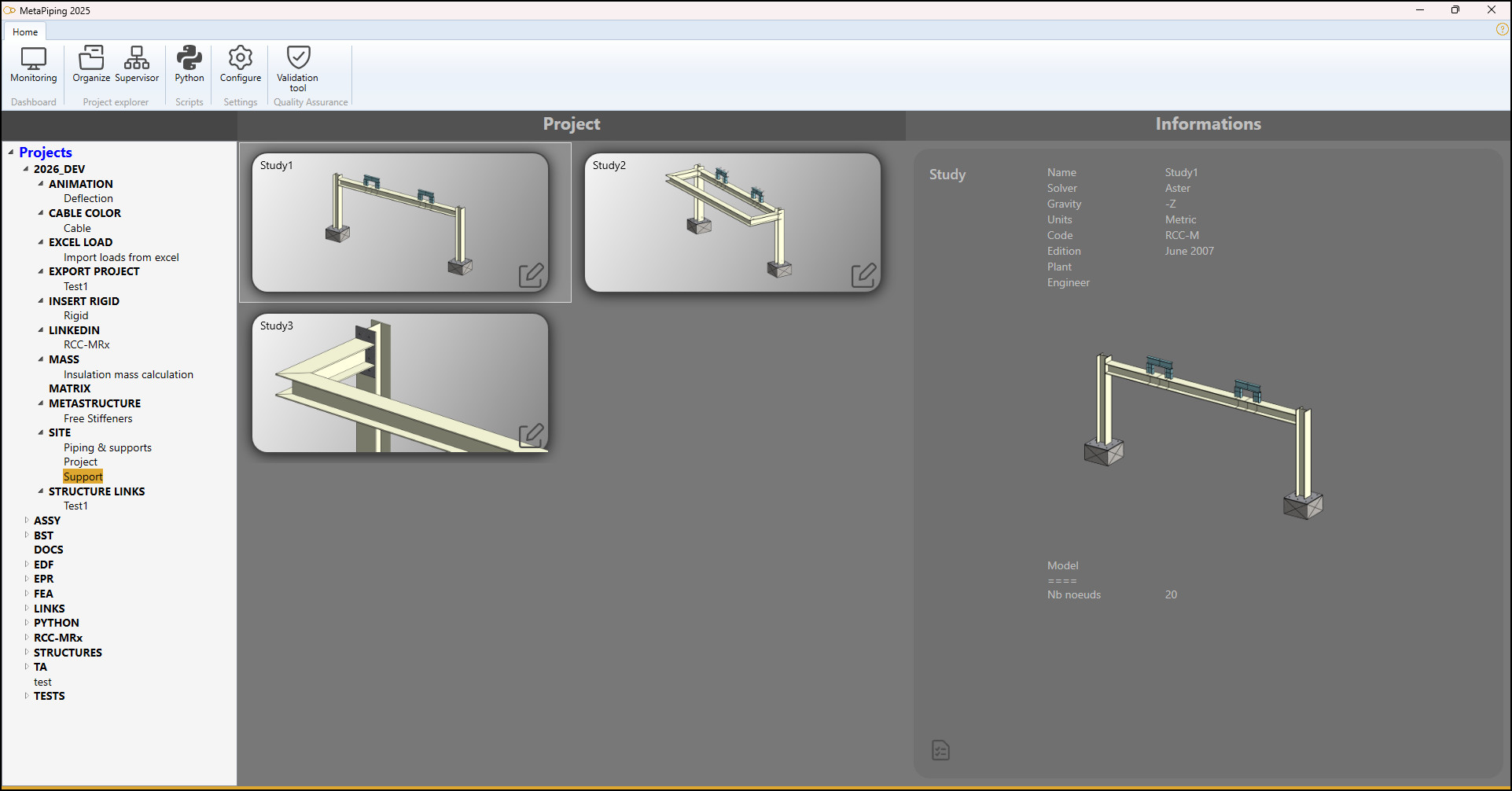
MetaStructure stores the projects in a hierarchical treeview with groups and sub-groups. No more isolated files in the hard disk. This hierarchy can be placed on an internal server and shared for all users.
A project contains a list of studies.
A study contains a 3D model and can be a piping system or a structure. So all supports of a piping can be stored in the same project for example. Smart!
A study can also be duplicated inside a project to make some variations or experimentations. Cool!
Piping engineers can work on piping systems and structural engineers on the structural supports.
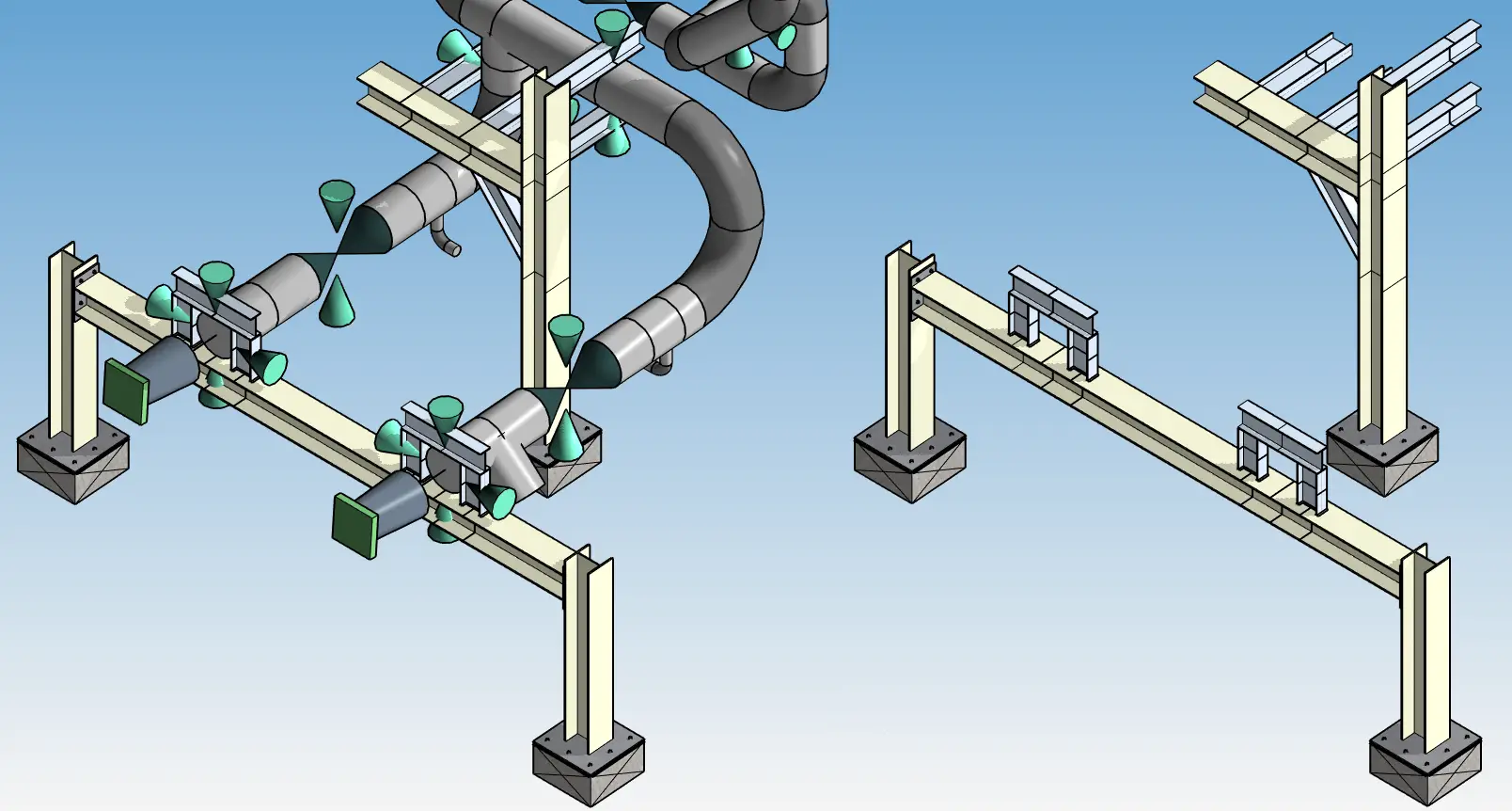
A link mechanism allow user to share the 3D model with other studies; a piping system can be drawn based on the support positions or inversely, the structural supports are drawn based on piping positions. Useful!
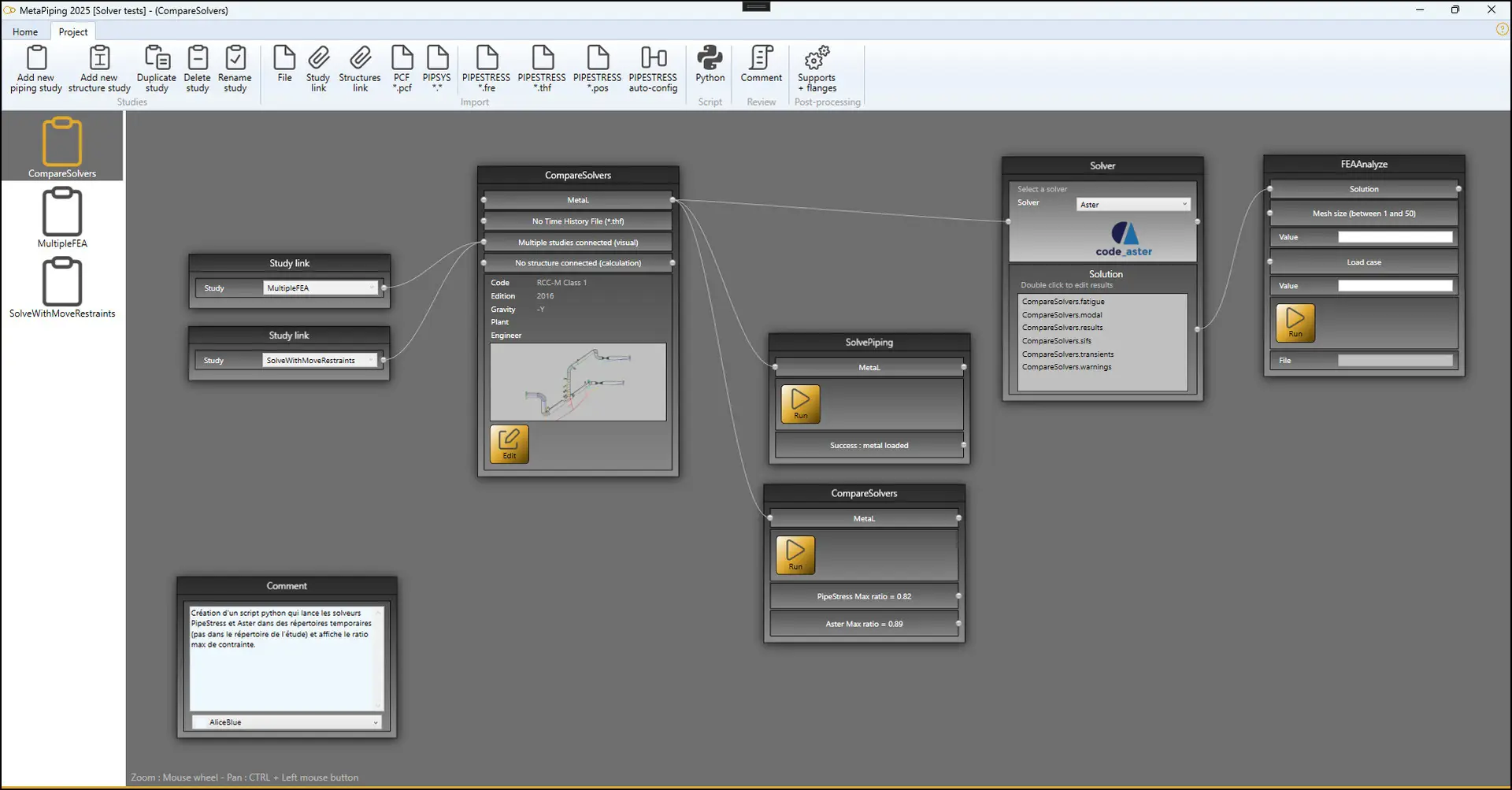
A study is a graph composed of bricks and connections.
Example of bricks:
- 3D model (piping or structure)
- Solver
- Study links
- Python bricks
- Comments
Databases
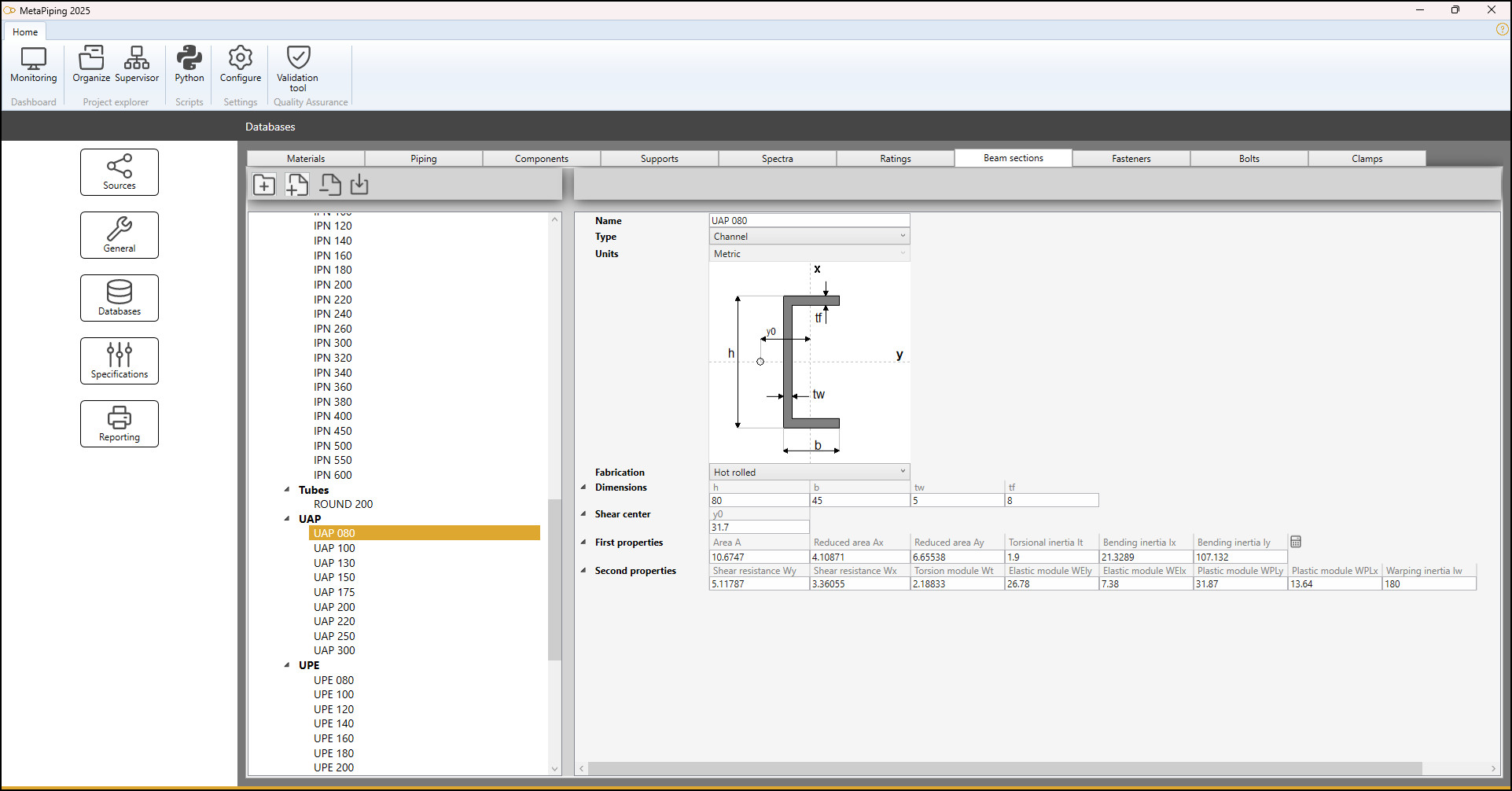
MetaStructure lets you create databases of common data like materials, components, spectra, ratings, beam sections, fasteners, bolts or clamps.
Databases improve the speed of design, eliminate the repetition of encoding from project to project and reduce the risk of error.
3D engine
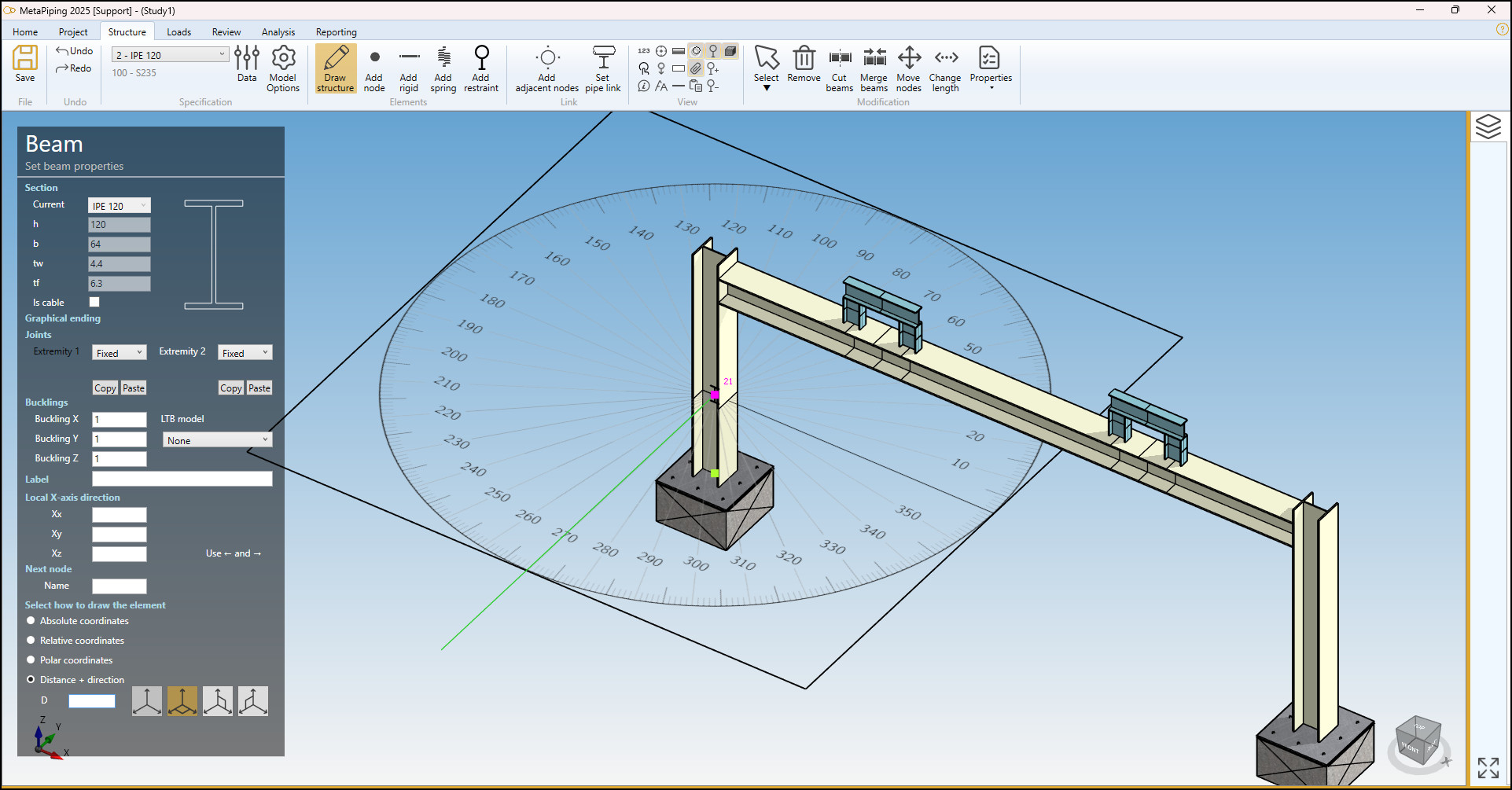
MetaStructure lets you draw as if you were in a CAD software.
Draw, select and navigate directly with the mouse.
The 3D engine is optimized for large projects with concepts of layers, solid or wireframe representation and element visibility control.
Python
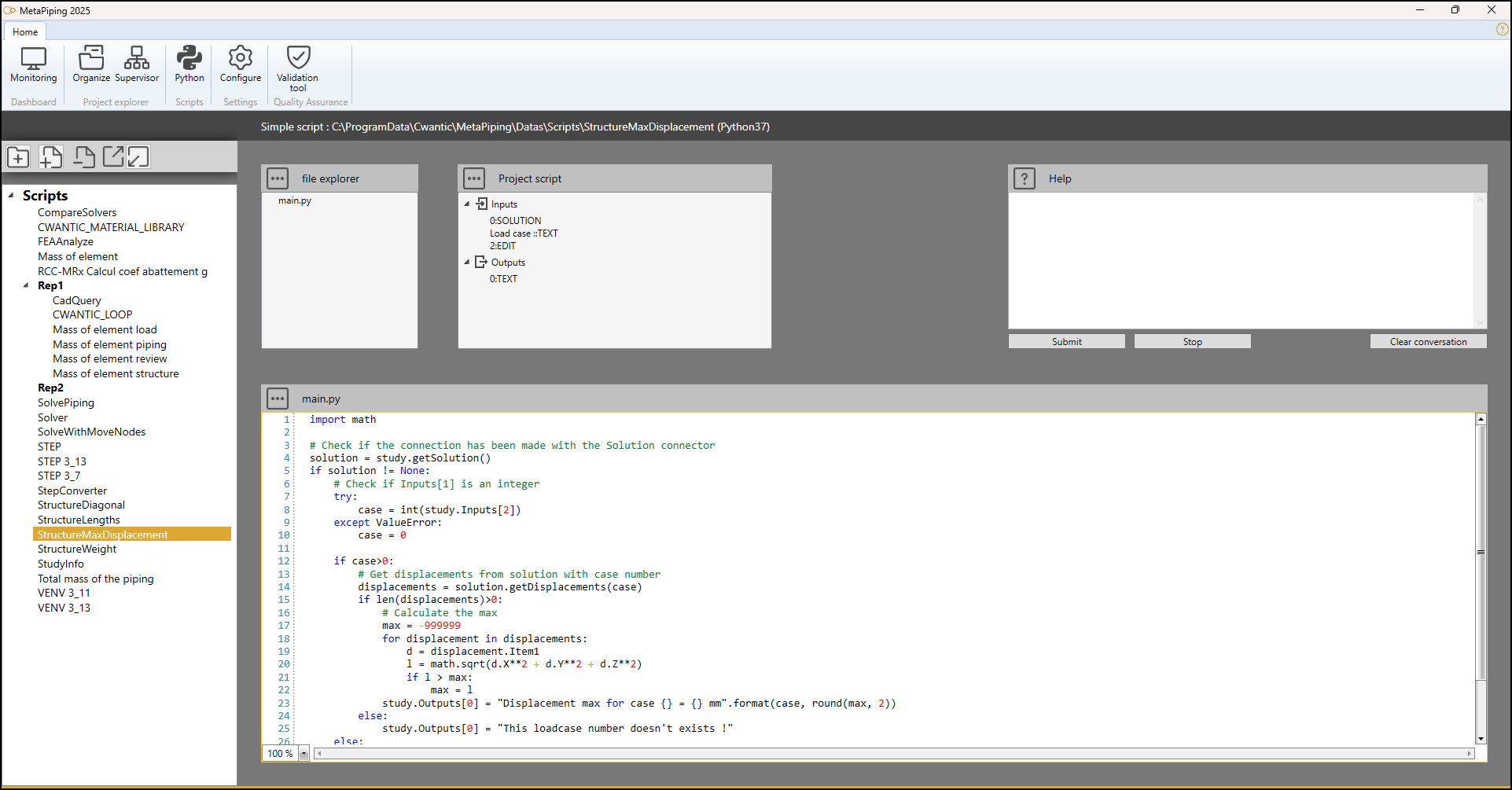
Write your own Python scripts to control the structure, to create a control Macro or to post-process the analysis results.
The scripts can be stored in the design tab, in the load tab, in the review tab or in the analysis tab.
You have total control to manipulate all the « classes » of MetaStructure.
Loads
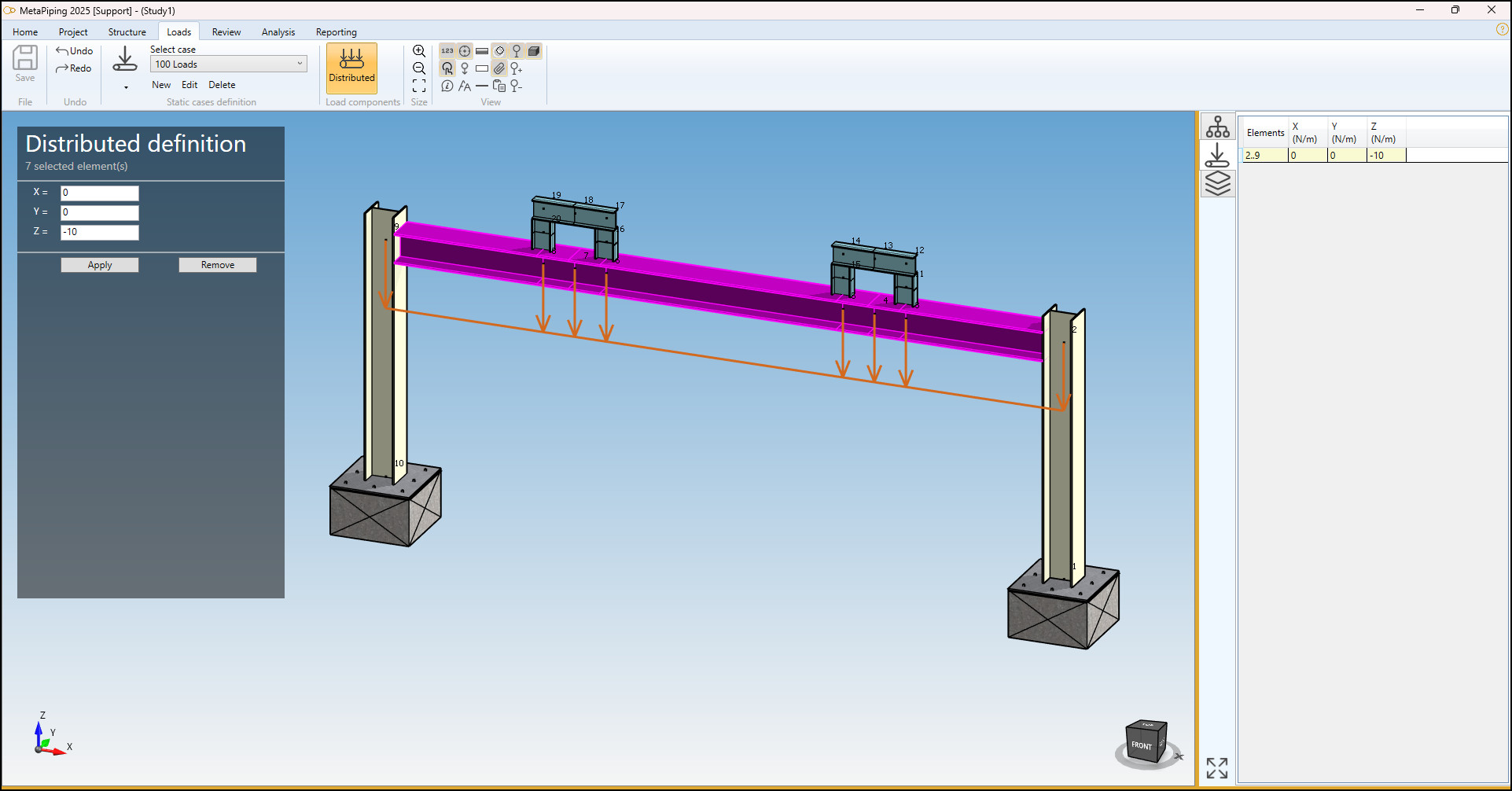
- Static loads: operating weight, thermal expansion, snow and wind, variable pseudo-static acceleration, applied support movements, distributed forces, nodal forces and moments.
- Dynamic loads: uniform and independent support motion using floor response spectra, time-history of forces and moments.
- Combinations of loads.
- External loads from coupled piping.
Analysis
Supported structural codes :
- ASME III NF
- RCC-M
- EN 13480-3
- EN 1993-1-1
Supported anchoring code :
- EN 1992-4
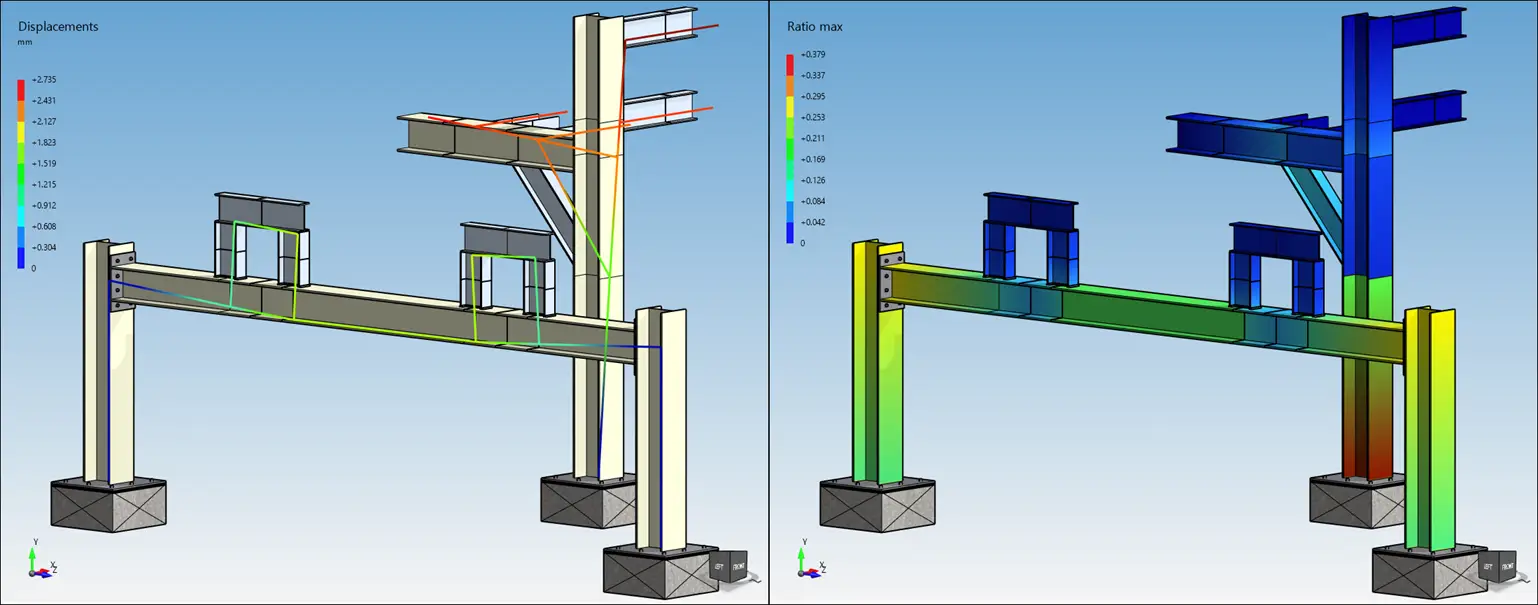
After calculation the results are shown with tables and color maps. Displacements can be animated.
Results:
- Displacements
- Forces and moments
- Reactions
- Stresses
Finite Element Analysis
MetaStructure offers detailed finite element analysis of flexible anchor plates.
The anchor plate is meshed with second order 8-node shell elements.
Loads are then applied on the elements and the boundary conditions are defined.
The solution is calculated by Code_Aster solver.
A diagnostic report checks the validity of all fasteners.
A report can finally be generated.
Results:
- Displacements
- Stresses
- Strains
- Compression
- Iso-displacements
- Iso-stresses
- Iso-strains
- Iso-compression
MetaPiping link
Connect one or more piping systems to facilitate the supports drawing. Make an analysis in a single pass.
Documentation
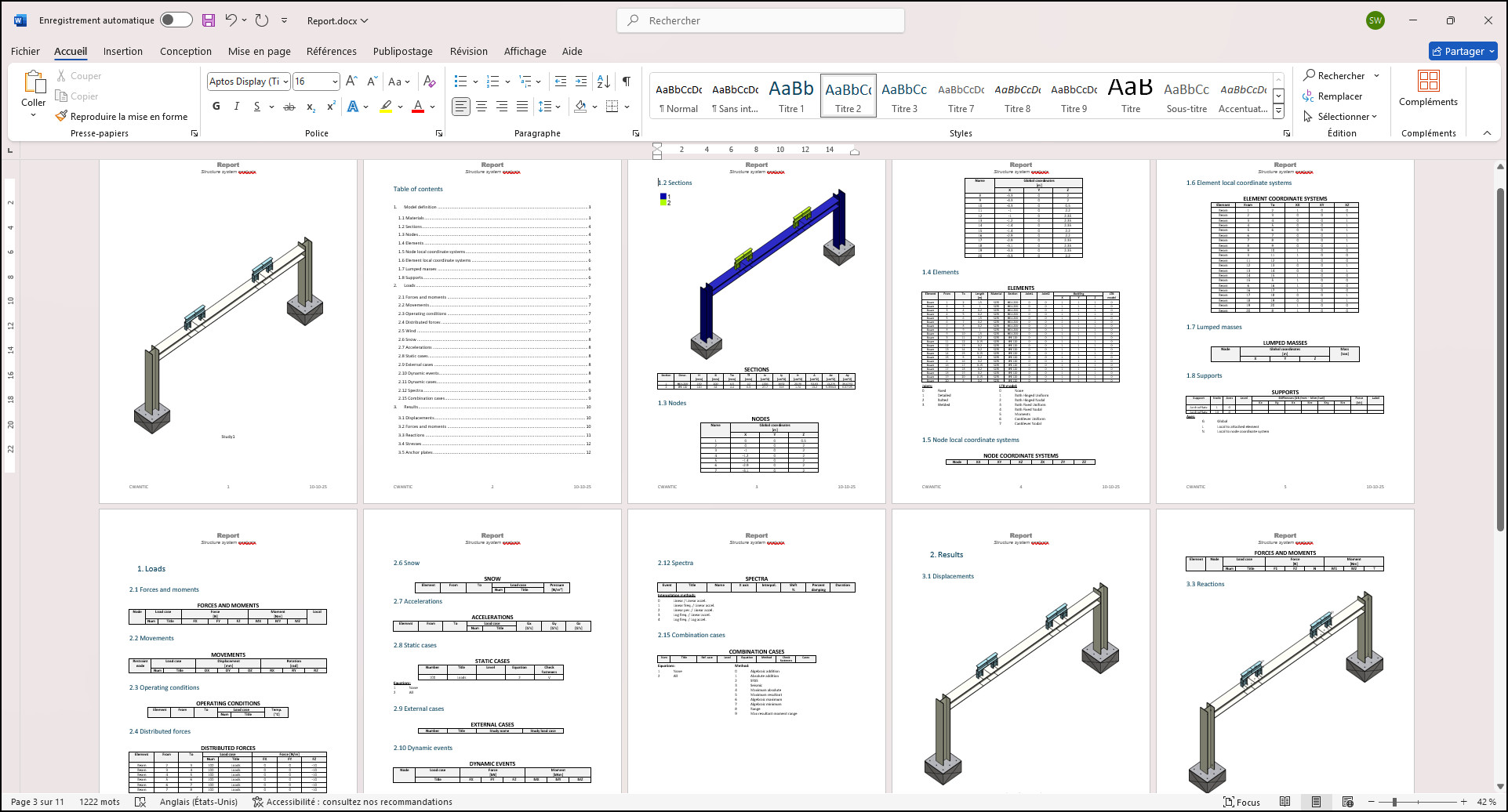
MetaStructure can generate reports with all the details of the model input (including graphics), and all results of the analysis.
The report is exclusively based on *.docx file.
A report is based on an empty template (*.docx) that contains keywords.
- Template is a Word *.docx file with user defined layout and content.
- Keyword is associated to a section described in a table document (*.docx).
User can prepare template document and table document and then import them in the software.
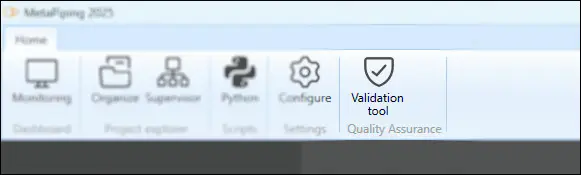
Validation tool
MetaStructure is validated on a large number of test cases.
A qualification document is then established demonstrating the compliance of the software with the most demanding standards of the industry.
A Validation tool in the Quality Assurance main ribbon executes the analysis of all reference study cases and certify the validity of the software.